How to Use AI Google Ads for Better Campaign Performance in 2025

Running profitable Google Ads campaigns has become harder than ever. Rising costs per click, increasing competition, and shifting user behavior mean that what worked a year ago often fails today. That’s where AI Google Ads strategies come in. Artificial intelligence transforms how advertisers build, optimize, and scale campaigns by automating tasks, improving targeting, and uncovering opportunities human analysts can easily miss.
This guide walks through how AI changes Google Ads management, which tools to use, how to apply them practically, and how to measure real campaign improvements.
What Makes AI Google Ads Different from Traditional Campaign Management
Traditional Google Ads management depends on manual keyword research, manual bid adjustments, and manual ad copy testing. That approach takes time and often reacts to performance changes days or weeks too late.
AI Google Ads automation shifts the model. Machine learning algorithms analyze data in real time, adjust bids instantly based on conversion likelihood, and identify high-performing audience segments faster than any human team could. Google’s built-in AI features like Smart Bidding, Responsive Search Ads, and Performance Max campaigns already use machine learning. But third-party AI tools extend those capabilities by adding deeper audience analysis, creative optimization, and cross-platform performance tracking.
The core difference is speed and scale. AI processes millions of data points continuously, testing combinations of keywords, audiences, bids, and creatives simultaneously. That speed means faster learning cycles and better return on ad spend.
Key AI Capabilities That Improve Google Ads Performance
AI improves Google Ads through several specific capabilities:
- Bid automation: Algorithms adjust bids in real time based on user signals like device, location, time of day, and purchase intent.
- Audience segmentation: AI identifies micro-segments within your audience that convert at higher rates.
- Creative testing: Machine learning rotates ad copy variations and selects top performers automatically.
- Conversion prediction: AI scores each click for conversion likelihood, helping you allocate budget more effectively.
- Budget pacing: Algorithms distribute daily budgets across the day to maximize conversions without overspending early.
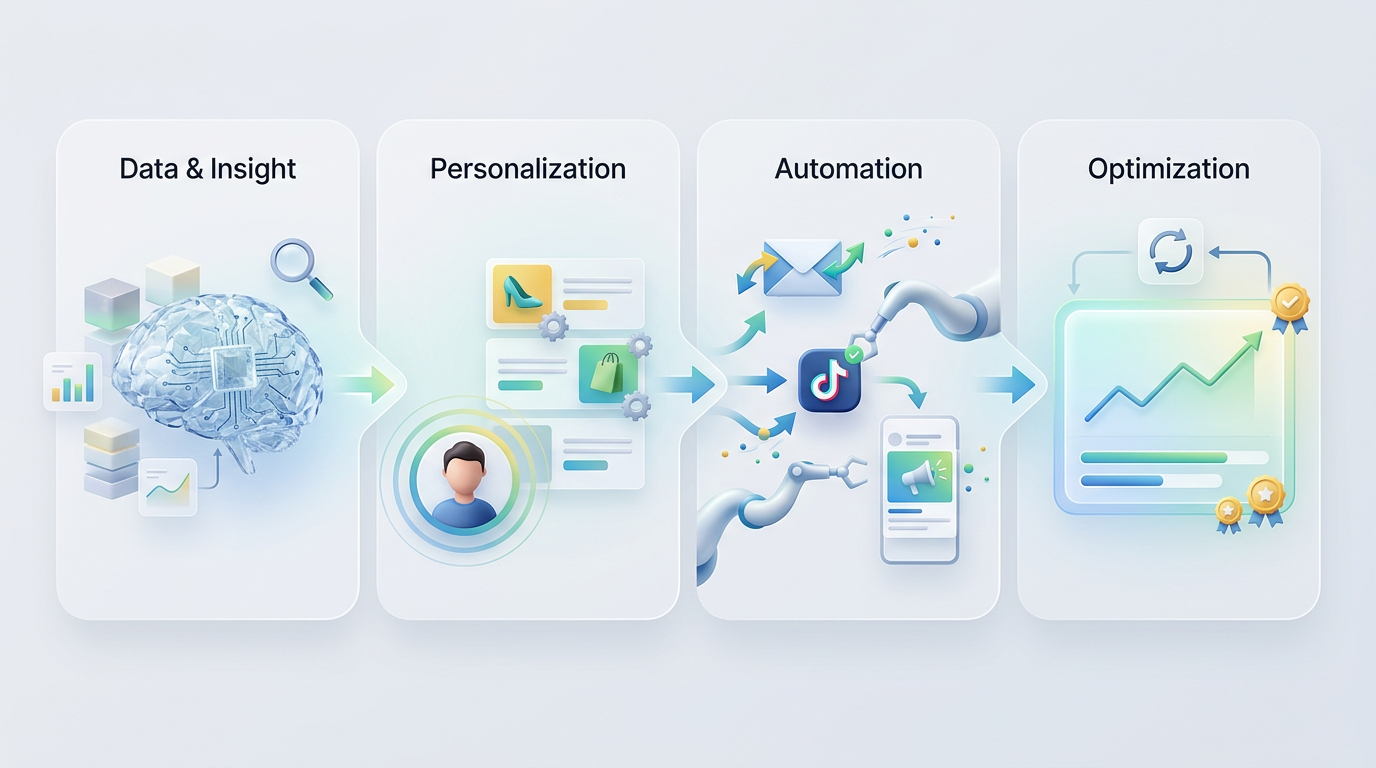
These capabilities work together. Smarter bids combined with better audience targeting and optimized creatives create compounding performance gains.
How to Set Up AI Google Ads Campaigns That Actually Convert
Setting up AI-driven Google Ads campaigns requires a different approach than traditional manual campaigns. You need clean conversion tracking, enough historical data for algorithms to learn from, and the right campaign structure.
Start by ensuring your conversion tracking is accurate. AI bidding strategies depend entirely on conversion data. If your tracking is incomplete or broken, AI will optimize toward the wrong goals. Use Google Tag Manager to implement conversion tracking correctly, and verify events fire reliably across all devices.
Next, choose the right bidding strategy. Google offers several AI-powered options:
- Target CPA: Good when you know your acceptable cost per acquisition and want to maximize conversions at that cost.
- Target ROAS: Best when you track revenue and want to hit a specific return on ad spend.
- Maximize Conversions: Useful when you want the most conversions possible within your budget, even if individual costs vary.
- Maximize Conversion Value: Ideal when conversion values differ significantly and you want to prioritize high-value conversions.
Each strategy requires at least 30 conversions in the past 30 days to perform well. If you’re below that threshold, start with manual CPC or Enhanced CPC until you build enough data.
Structuring Campaigns for AI Optimization
AI works best when campaigns have clean structure and sufficient data flow. Avoid splitting campaigns into too many small segments. Instead, consolidate similar products or services into single campaigns so AI has more data to learn from.
Use broad match keywords combined with Smart Bidding rather than relying only on exact match. This gives AI room to discover new high-performing queries. Monitor search term reports weekly and add negative keywords to block irrelevant traffic.
For ad creatives, use Responsive Search Ads with at least 10 unique headlines and 4 descriptions. Google’s AI will test combinations and serve the best-performing variants. Avoid writing headlines that are too similar, as this limits the algorithm’s ability to find winning combinations.
AI Google Ads Tools You Should Actually Use
Google’s native AI features provide a strong foundation, but third-party AI tools add capabilities Google doesn’t offer. Here’s what’s worth using.
Google’s Performance Max campaigns use AI to serve ads across Search, Display, YouTube, Gmail, and Discover from a single campaign. You provide assets like images, headlines, and descriptions, and Google’s AI assembles and optimizes combinations across placements. Performance Max works well for e-commerce and lead generation when you want broad reach and are willing to give Google’s algorithm significant control.
Optmyzr offers AI-powered bid management, automated reporting, and budget pacing tools. It’s particularly useful for agencies managing multiple accounts because it surfaces optimization opportunities across portfolios. The platform identifies underperforming keywords, suggests bid adjustments, and automates routine tasks like pausing low-quality placements.
Adzooma provides AI-driven campaign audits and automated optimization suggestions. It scans accounts for common issues like wasted spend on irrelevant keywords, poor ad relevance scores, and budget imbalances. The tool is beginner-friendly and works well for small to mid-sized businesses without dedicated PPC specialists.
Adalysis specializes in ad copy testing and quality score optimization. Its AI analyzes which ad elements drive performance and suggests new variations. The platform also automates A/B testing at scale, something difficult to manage manually in large accounts.
If you’re looking for broader AI tools for modern marketing automation, consider how these PPC-specific tools integrate with your overall marketing stack.
Comparing AI Google Ads Tools
| Tool | Best For | Key Feature | Starting Price |
|---|---|---|---|
| Performance Max | Cross-channel automation | Native Google integration | Free (ad spend required) |
| Optmyzr | Agencies and large accounts | Portfolio-level optimization | $249/month |
| Adzooma | Small businesses | Automated audits | Free tier available |
| Adalysis | Ad copy testing | Quality score analysis | $149/month |
Choose tools based on your campaign complexity and team capacity. If you’re managing one or two campaigns, Google’s native features may be sufficient. If you’re running dozens of campaigns or managing accounts for clients, third-party tools become worthwhile.
Common AI Google Ads Mistakes and How to Avoid Them
AI improves campaign performance, but only when used correctly. Here are the most common mistakes advertisers make when implementing AI Google Ads strategies.
Switching bidding strategies too frequently. AI bidding algorithms need time to learn. Most strategies require a two-week learning period. Switching strategies every few days resets the learning process and prevents optimization. Pick a strategy, give it at least three weeks, and evaluate performance only after the learning phase completes.
Using AI bidding without enough conversion data. Machine learning needs data to identify patterns. If you’re getting fewer than 30 conversions per month, AI bidding will struggle. In low-volume accounts, stick with manual bidding or Enhanced CPC until conversion volume increases.
Over-constraining AI with too many restrictions. Some advertisers limit AI by setting narrow demographic targeting, strict keyword match types, or tight geographic restrictions. These constraints reduce the data AI can learn from. Unless you have clear evidence that certain segments don’t convert, give AI room to test and learn.
Ignoring negative keywords. AI bidding optimizes toward conversions, but it can’t distinguish between relevant and irrelevant traffic without negative keyword guidance. Review search term reports weekly and add negative keywords for queries that waste spend.
Not testing ad creatives. AI bidding improves delivery, but it can’t fix weak ad copy. Even with Smart Bidding, you still need compelling headlines, clear value propositions, and strong calls to action. Test new ad variations regularly and let AI identify top performers.
How AI Google Ads Fits into Your Broader Marketing Strategy
AI Google Ads works best when integrated with your overall marketing approach. Paid search shouldn’t operate in isolation from SEO, content marketing, or CRM systems.
Coordinate your AI Google Ads campaigns with your AI marketing strategy by aligning keyword targeting across paid and organic channels. If your SEO content ranks for informational queries, use Google Ads to target high-intent transactional queries that drive immediate conversions.
Connect Google Ads conversion data to your CRM. This allows you to track which campaigns generate not just leads, but qualified leads that close. Many CRM platforms like HubSpot, Salesforce, and Pipedrive integrate directly with Google Ads, feeding closed deal data back into the platform so AI can optimize toward revenue, not just lead volume.
Use Google Ads remarketing lists to re-engage visitors who interacted with your content but didn’t convert. AI-powered Smart Display campaigns can automatically create and serve personalized ads to these audiences across the Google Display Network.
Measuring Real ROI from AI Google Ads
Effective measurement goes beyond click-through rates and cost per click. Track metrics that reflect actual business outcomes:
- Cost per acquisition (CPA): What you pay for each conversion.
- Return on ad spend (ROAS): Revenue generated for every dollar spent.
- Customer lifetime value (CLV): Total value a customer brings over their relationship with your business.
- Conversion rate: Percentage of clicks that result in conversions.
- Quality Score: Google’s measure of ad relevance, which affects cost and position.
Set up custom conversion goals in Google Analytics 4 to track multi-step funnels. For example, if you’re a B2B company, track not just form submissions but also demo bookings and closed deals. This gives AI more valuable signals to optimize toward.
Advanced AI Google Ads Tactics for Scaling Performance
Once basic AI campaigns are performing well, advanced tactics can unlock additional growth.
Dynamic Search Ads with AI bidding automatically generate ad headlines based on your website content. Combined with Smart Bidding, DSAs find high-intent searches you might not have targeted manually. They work particularly well for large e-commerce catalogs or service businesses with extensive website content.
Customer Match audiences let you upload email lists and target existing customers or high-value prospects with tailored campaigns. AI bidding adjusts bids based on each user’s likelihood to convert. Use Customer Match to run retention campaigns, upsell campaigns, or win-back campaigns.
In-market and affinity audiences combined with AI bidding expand reach to users who are actively researching products or services like yours. Google’s AI identifies these users based on browsing behavior across millions of sites. Layer these audiences onto your campaigns to reach new prospects beyond keyword targeting.
Video action campaigns on YouTube use AI to serve skippable ads optimized for conversions. You provide video assets and campaign goals, and Google’s AI determines optimal placements, bids, and audiences. Video campaigns work well for brands with strong visual storytelling and products that benefit from demonstration.
If you’re interested in how AI impacts other marketing channels, explore how AI content marketing strategy complements paid advertising efforts.
What to Expect from AI Google Ads in the Next 12 Months
AI capabilities in Google Ads continue evolving rapidly. Several trends will shape how advertisers use AI over the next year.
Google is expanding Performance Max to include more creative formats and placements. Expect tighter integration with YouTube Shorts, Google Shopping, and Discover feeds. This means advertisers will need stronger visual assets and more diverse creative libraries to feed AI systems effectively.
Conversational AI and large language models are beginning to influence ad copy generation. Google is testing tools that automatically generate ad variations based on landing page content and campaign goals. This will make creative testing faster but will also require stronger brand guidelines to ensure AI-generated copy stays on-brand.
Privacy changes continue affecting targeting capabilities. As third-party cookies phase out, Google’s AI relies more heavily on first-party data and contextual signals. Advertisers who build robust first-party data strategies (email lists, CRM data, website behavior tracking) will have significant advantages.
Attribution modeling is becoming more AI-driven. Google’s data-driven attribution model uses machine learning to assign conversion credit across touchpoints more accurately than rules-based models. Advertisers should shift from last-click attribution to data-driven attribution to get clearer ROI pictures.
Frequently Asked Questions About AI Google Ads
How much budget do you need to use AI Google Ads effectively?
There’s no strict minimum, but AI bidding strategies perform best when campaigns generate at least 30 conversions per month. For most industries, that typically requires a monthly ad spend between $1,000 and $3,000. Below that threshold, consider starting with Enhanced CPC or manual bidding until conversion volume increases. AI needs data to learn patterns, and insufficient data leads to inconsistent performance.
Can AI Google Ads work for local businesses?
Yes, AI Google Ads works well for local businesses when campaigns are structured correctly. Use location targeting to focus on your service area, and choose bidding strategies like Maximize Conversions or Target CPA. Local businesses should track store visits and phone calls as conversions, not just website form submissions. Google offers location extensions and call extensions that integrate with AI bidding to optimize for offline conversions.
How long does it take to see results from AI Google Ads?
Most AI bidding strategies enter a learning phase that lasts 7 to 14 days. During this period, performance may fluctuate as algorithms test different approaches. After the learning phase, you should see stabilized performance and gradual improvement over the following 4 to 6 weeks. Significant performance gains typically become clear after 60 days of consistent optimization.
Should you use broad match keywords with AI bidding?
Yes, broad match keywords paired with Smart Bidding often outperform exact match strategies because they give AI more opportunities to find high-intent searches you might not have anticipated. However, you must actively manage negative keywords to prevent wasted spend on irrelevant queries. Review search term reports weekly and add negatives for any terms that generate clicks but no conversions.
What’s the difference between Enhanced CPC and Target CPA?
Enhanced CPC adjusts your manual bids up or down based on conversion likelihood but keeps you in control of base bids. Target CPA is a fully automated strategy where Google sets bids to achieve your specified cost per acquisition. Enhanced CPC offers more control and works well for accounts with limited conversion data. Target CPA delivers better results when you have at least 30 conversions per month and a clear CPA goal.
How do you prevent AI from overspending your budget?
Set daily budget limits at the campaign level, and use portfolio bid strategies to control spending across multiple campaigns. AI bidding respects daily budget caps but may exceed them by up to 20% on high-performing days, balancing out over the month. If budget control is critical, avoid Maximize Conversions without a target CPA, as this strategy will spend your full budget regardless of cost per conversion.

Getting Started with AI Google Ads
AI Google Ads strategies deliver measurable performance improvements when implemented correctly. Start by ensuring accurate conversion tracking, choose bidding strategies that match your goals and data availability, and give algorithms time to learn before making major changes.
Focus on providing AI with quality inputs like diverse ad creatives, clean audience signals, and well-structured campaigns. Monitor performance weekly, adjust negative keywords and audience exclusions as needed, and test new tactics incrementally rather than overhauling campaigns completely.
If you’re ready to scale your campaigns with AI-driven strategies tailored to your business, request a free AI growth analysis from TAMA. We’ll audit your current Google Ads setup, identify optimization opportunities, and build a roadmap for better performance and ROI.